
Managing social media can look simple from the outside.Social Media Create a post, publish it, reply to a few comments, and move on. But when you are managing several platforms, campaigns, content formats, and customer conversations, the workload can quickly become overwhelming.This is where social media automation can make a real difference.Automation helps businesses schedule content, organize repetitive tasks, monitor activity, and keep their social presence consistent. It does not mean handing your entire social media strategy over to software. Instead, it is about using technology for repetitive work while keeping the human side of marketing—creativity, conversation, and judgment—at the center.A good automation system can save time without making your social media feel robotic.
What Is Social Media Automation?
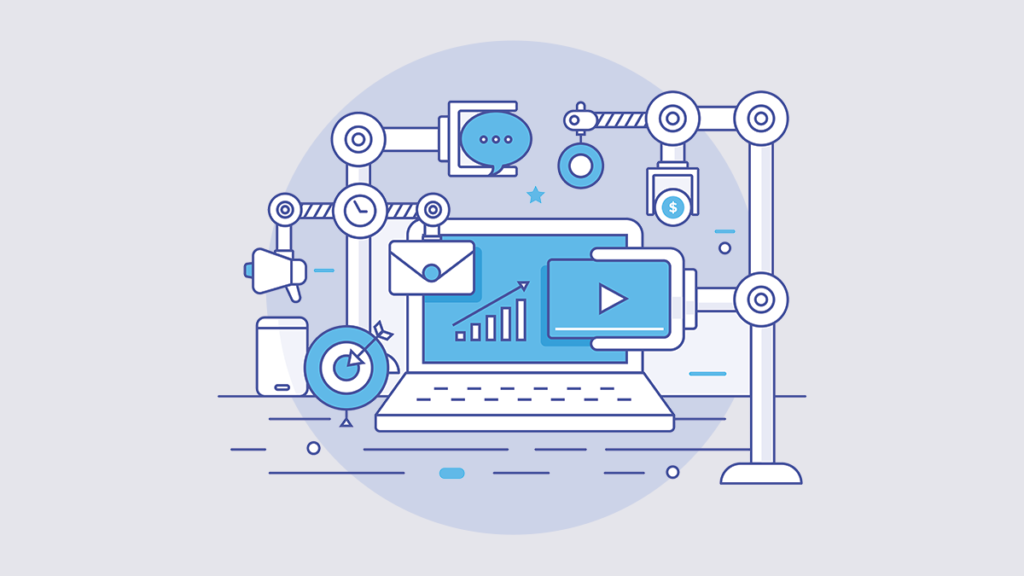
Social media automation is the use of software and tools to automate repetitive social media tasks.
These tasks can include:
- Scheduling posts
- Publishing content at selected times
- Organizing content calendars
- Monitoring mentions
- Collecting performance data
- Sending selected notifications
- Reusing or republishing suitable content
- Managing workflows
- Tracking campaign activity
For example, instead of manually publishing a post every morning, a business can prepare several posts on Monday and schedule them throughout the week.
That small change can save a surprising amount of time.
Why Social Media Automation Matters
Social media requires consistency. But consistency does not mean being online every minute of the day.
Automation can help businesses create a more organized workflow.
| Benefit | How It Helps |
|---|---|
| Saves time | Reduces repetitive publishing tasks |
| Improves consistency | Keeps content flowing regularly |
| Better planning | Allows campaigns to be prepared ahead |
| Fewer missed posts | Scheduled content can publish automatically |
| Easier reporting | Performance data can be collected systematically |
| Supports multiple platforms | Helps organize content across channels |
| Reduces workload | Gives marketers more time for creative work |
The real advantage is not simply posting faster. It is creating more room for better marketing decisions.
What Can You Automate?
Not every social media task should be automated. Some are ideal for automation, while others need a human touch.
Tasks That Can Often Be Automated
- Post scheduling
- Content calendar management
- Publishing reminders
- Basic reporting
- Social listening alerts
- Performance notifications
- Internal approval workflows
- Recurring content
Tasks That Need Human Attention
- Responding to sensitive complaints
- Handling customer questions
- Community conversations
- Crisis communication
- Creating original brand ideas
- Responding to unexpected events
- Understanding sarcasm or complex conversations
A useful rule is simple:
Automate repetitive work, not relationships.
Build a Social Media Automation Strategy
Automation works best when it supports a clear strategy.
Before choosing tools or scheduling dozens of posts, decide what you want your social media activity to accomplish.
Your goals might include:
- Increasing brand awareness
- Driving website traffic
- Generating leads
- Promoting products
- Building a community
- Improving customer engagement
- Sharing educational content
Once the goal is clear, it becomes easier to decide what should be automated.
Create a Content Calendar
A content calendar is the foundation of an organized social media workflow.
Instead of wondering what to post every morning, you can plan content several days or weeks in advance.
A simple calendar might look like this:
| Day | Content | Goal |
|---|---|---|
| Monday | Educational tip | Provide value |
| Tuesday | Product feature | Build awareness |
| Wednesday | Short video | Increase engagement |
| Thursday | Customer story | Build trust |
| Friday | Promotional post | Encourage action |
| Saturday | Behind-the-scenes | Show personality |
| Sunday | Question or poll | Start conversations |
The calendar should not be rigid.
If something important happens in your industry, leave room to respond naturally.
Schedule Posts in Advance
Scheduling is one of the simplest forms of automation.
Instead of publishing content manually every day, prepare posts ahead of time and choose when they should appear.
This is especially useful for:
- Small businesses
- Bloggers
- Marketing teams
- Online stores
- Personal brands
- Agencies
- Content creators
Scheduling can also make campaign planning easier because several related posts can be prepared together.
Choose the Right Posting Frequency

More posts do not automatically mean better results.
Posting too little can make an account appear inactive, while posting too much can overwhelm followers.
The ideal frequency depends on the platform, audience, content quality, and business goals.
Focus on a schedule you can maintain.
For example:
Three useful posts every week may be more sustainable than planning ten posts and abandoning the schedule after two weeks.
Consistency is often more valuable than short bursts of activity.
Use Content Repurposing
Automation becomes even more useful when combined with content repurposing.
One strong piece of content can become several smaller pieces.
For example:
One blog post →
- LinkedIn post
- Instagram carousel
- Short video
- Quote graphic
- Email tip
- Discussion question
This approach helps you get more value from content you have already created.
It also reduces the pressure to constantly come up with completely new ideas.
Automate Evergreen Content
Evergreen content remains useful for a long period of time.
Examples include:
- Beginner tips
- Frequently asked questions
- How-to guides
- Industry definitions
- Helpful checklists
- Common mistakes
- Educational resources
These posts can sometimes be scheduled again later, provided they are still accurate and appropriate.
However, always review older content before republishing it.
A statistic, product feature, trend, or recommendation that was accurate last year may no longer be relevant.
Social Media Automation and Engagement
One of the biggest mistakes businesses make is assuming that automation means they can stop checking their social accounts.
That is not the goal.
Automation should handle repetitive publishing while people remain available for conversations.
For example:
A scheduled post receives 25 comments.
The automation tool publishes the post successfully, but a person should still read and respond to the comments.
This balance keeps the account efficient without making it feel abandoned.
Use Automation for Social Listening
Social listening involves monitoring conversations, mentions, keywords, or discussions related to your brand or industry.
Automation can help alert you when something important happens.
You may want to monitor:
- Brand mentions
- Product names
- Campaign names
- Industry keywords
- Customer questions
- Competitor discussions
- Common problems
The goal is not to react to every mention.
Instead, monitoring helps you notice conversations that may require attention.
Automate Reporting and Analytics
Social media performance can generate a lot of data.
Instead of manually collecting numbers every week, automation tools can help organize reporting.
Useful metrics include:
| Metric | What It Shows |
|---|---|
| Reach | How many people saw content |
| Impressions | How often content appeared |
| Engagement | How people interacted |
| Clicks | Interest in linked content |
| CTR | Percentage of viewers who clicked |
| Followers | Audience growth |
| Leads | Potential customers generated |
| Conversions | Desired actions completed |
The important part is connecting metrics to goals.
If your goal is website traffic, clicks may matter more than follower growth.
If your goal is awareness, reach and impressions may be more useful.
Automation for Small Businesses
Small businesses often have limited time and small marketing teams.
Automation can help them maintain a social presence without spending hours every day on routine tasks.
A simple workflow could be:
Monday: Create and schedule the week’s content.
Tuesday–Thursday: Monitor comments and messages.
Friday: Review performance.
Weekend: Capture new ideas and customer questions.
This gives the business a repeatable process instead of making social media a daily scramble.
Social Media Automation for Content Creators

Creators can also benefit from automation.
A creator may have to manage:
- Short-form videos
- Blog posts
- Social updates
- Sponsored content
- Audience questions
- Analytics
- Email promotion
Scheduling recurring content can free up time for the work that actually requires creativity.
For creators, the goal should be to automate administration—not personality.
Common Social Media Automation Mistakes
Automation is useful, but careless automation can damage a brand’s credibility.
1. Automating Everything
Not every interaction should receive an automated response.
A generic reply to a serious customer complaint can make the situation worse.
2. Posting Without Checking
Scheduled content can become outdated.
Always review posts connected to current events, prices, dates, promotions, or trends.
3. Using Identical Content Everywhere
Different platforms have different audiences and formats.
Adapt your message instead of simply copying the same post everywhere.
4. Ignoring Comments
Automation can publish content, but it cannot replace genuine community interaction.
5. Posting Too Frequently
Automation makes it easy to schedule a large number of posts.
That does not mean you should.
6. Forgetting Your Brand Voice
Automated content should still sound like your brand.
Avoid generic wording that could belong to any company.
How to Keep Automated Content Human
This is where many businesses struggle.
People can often recognize content that feels overly automated.
To keep your social media natural:
- Use conversational language
- Share real experiences
- Ask genuine questions
- Respond personally to comments
- Include behind-the-scenes content
- Use customer stories
- Avoid repetitive captions
- Add personality to your writing
- Review scheduled content regularly
A little personality can make a big difference.
Instead of:
“We are excited to announce our latest product.”
Try something more natural:
“We have been working on this one for a while, and it is finally here.”
The second version sounds more like a person talking.
A Simple Social Media Automation Workflow

You do not need a complicated system to get started.
Try this five-step process:
Step 1: Plan
Choose your topics, campaigns, and goals.
Step 2: Create
Prepare captions, images, videos, and links.
Step 3: Schedule
Add your content to your preferred scheduling system.
Step 4: Monitor
Check comments, messages, mentions, and important conversations.
Step 5: Analyze
Review performance and use the findings to improve your next content plan.
This creates a simple cycle:
Plan → Create → Schedule → Engage → Analyze → Improve
How to Improve Your Automation Strategy
Once your basic workflow is working, look for small improvements.
You could:
- Create reusable content templates
- Build a library of evergreen posts
- Organize content by topic
- Create approval workflows
- Review analytics weekly
- Repurpose high-performing content
- Remove outdated posts
- Test different posting times
- Track campaign links
- Keep a list of future content ideas
Do not automate something simply because you can.
Automate it because it makes the workflow better.
Automation vs. Manual Social Media Management

| Automation | Manual Management |
|---|---|
| Saves time on repetitive tasks | Offers maximum flexibility |
| Supports advance planning | Useful for real-time updates |
| Helps maintain consistency | Better for personal conversations |
| Useful for recurring content | Better for unexpected situations |
| Can simplify reporting | Allows immediate human judgment |
The strongest strategy often combines both.
Use automation for routine work and people for decisions, creativity, and relationships.
FAQ’S
1. What is social media automation?
Social media automation is the use of tools and software to handle repetitive tasks such as scheduling posts, publishing content, monitoring activity, and collecting performance data.
2. How does social media automation save time?
Automation allows you to prepare content in advance and schedule it for specific dates and times. This reduces the need to manually publish posts every day and gives marketers more time for strategy and creative work.
3. What social media tasks can be automated?
Common tasks include post scheduling, content publishing, reporting, social listening alerts, recurring content, and workflow notifications. Customer conversations and sensitive interactions should generally remain human-led.
4. Is social media automation good for small businesses?
Yes. Small businesses can use automation to maintain a consistent social media presence while spending less time on repetitive publishing tasks.
5. Can social media automation increase engagement?
Automation itself does not guarantee higher engagement. It can create more time for businesses to produce useful content, respond to followers, and improve their strategy, which can support stronger engagement.